
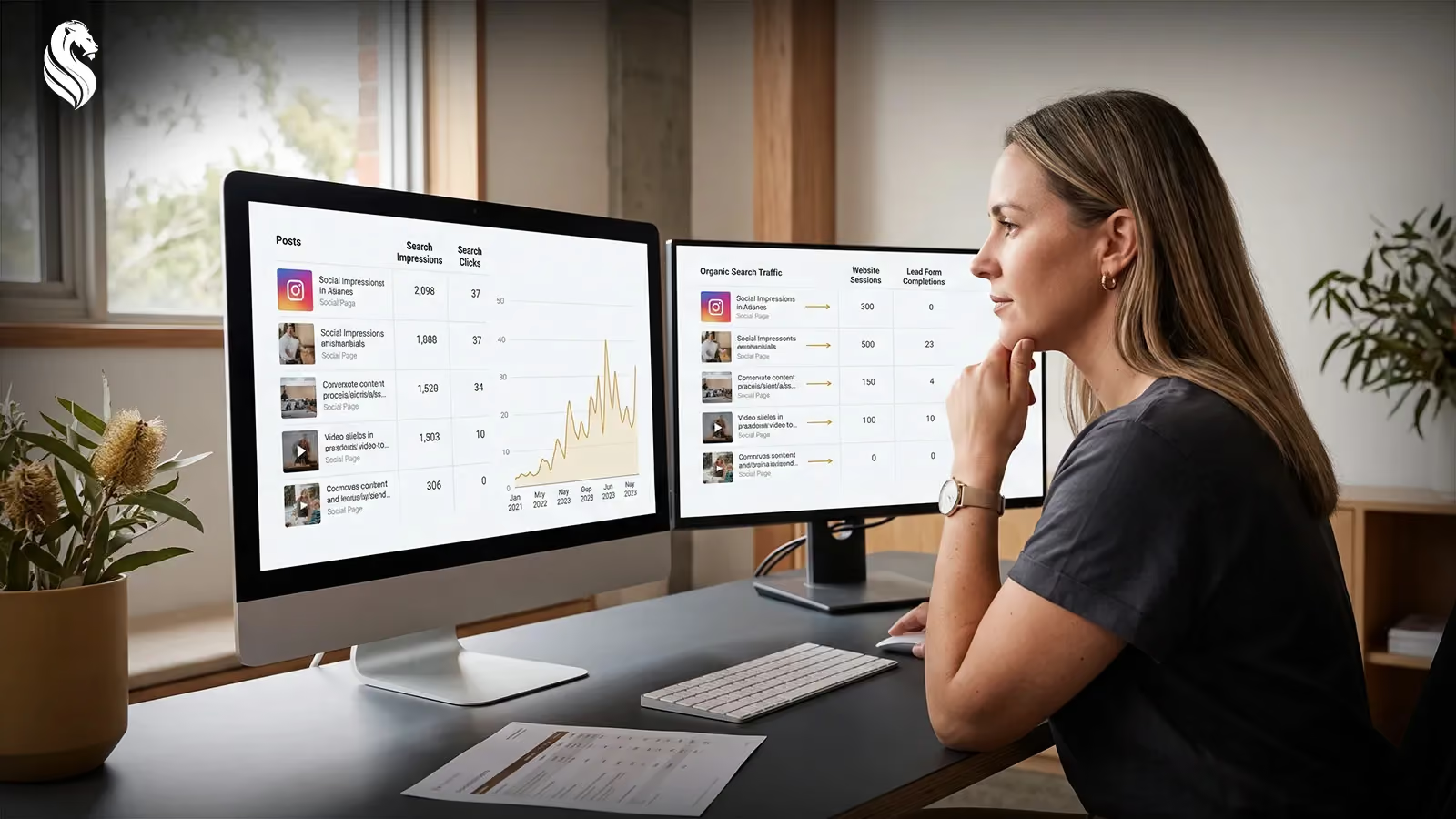
Search Console Social Media Tracking Explained
A social post can continue appearing in Google long after its initial likes, comments and views have slowed down. Until now, understanding that activity has been difficult because most social media reporting focuses on what happens inside the platform itself.
Google’s new Search Console social media tracking feature provides another view.
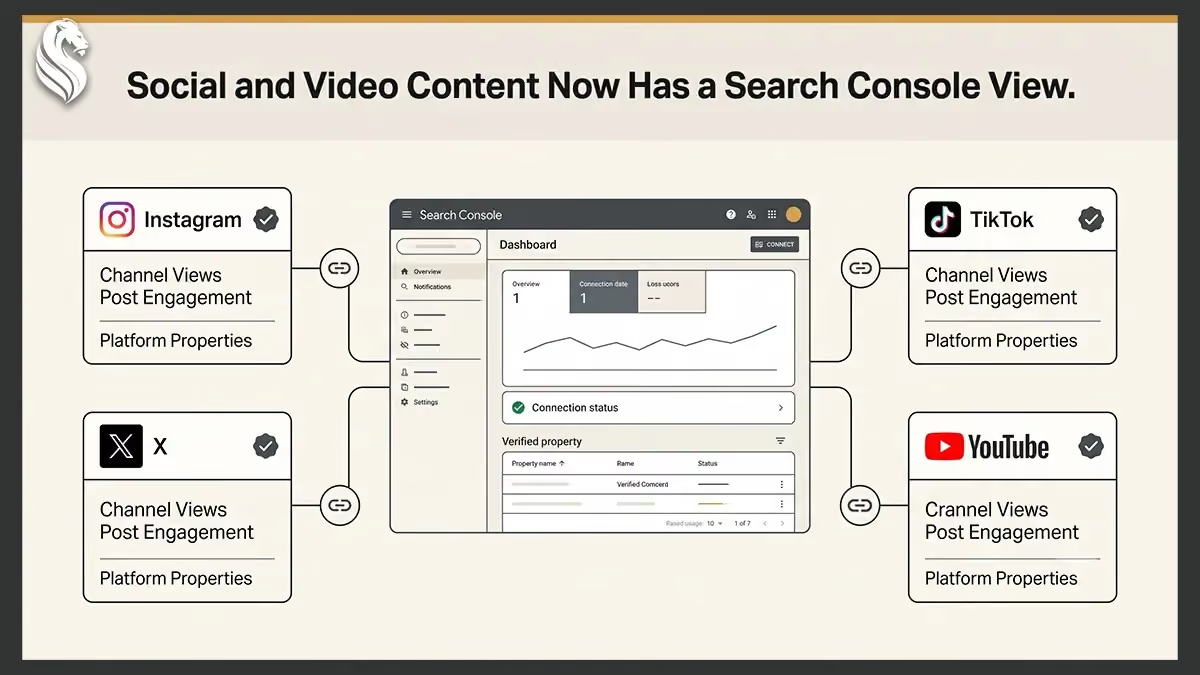
Through a new property type called a platform property, eligible Search Console users can see how content published on Instagram, TikTok, X and YouTube is discovered through Google.
The reports reveal which posts appear in search results, what people search for before finding them and how often they click.
The feature does not replace native social media analytics. It measures how supported social and video content performs across Google rather than inside the original platform.
What Google Announced
Google announced platform properties on 7 July 2026.
The new Search Console property type is designed for creators, publishers, site owners and businesses that publish content outside their own websites. It gives account owners a consolidated way to review how supported social and video content performs across Google Search and Discover.
Previously, Search Console properties were primarily associated with websites and specific sections of websites. Platform properties allow an authorised user to connect an external social account or video channel and review its Google performance separately.
Each social account or channel is added as an individual property.
A business with an Instagram account, TikTok profile and YouTube channel would therefore create three separate platform properties.
Google is rolling out the feature gradually, so the option may not yet appear in every Search Console account.
Supported Platforms
Search Console currently supports platform properties for:
- TikTok
- X
- YouTube
LinkedIn, Facebook, Pinterest and other social networks are not included in the initial list of supported platforms.
The feature is connected at the account or channel level. Businesses managing several profiles on one platform must create a separate property for each profile they want to monitor.
A website is not required.
Platform properties can be used by creators, publishers and businesses that do not operate their own website, provided they can verify ownership of the supported account or channel.
What Search Console Measures
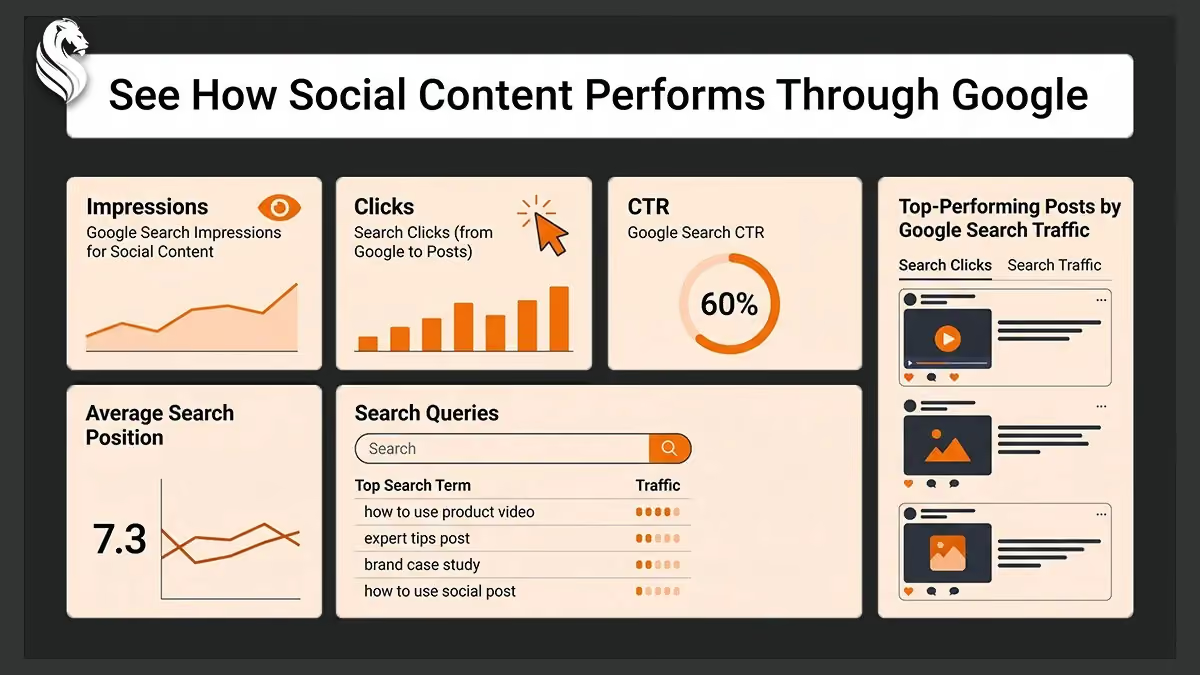
Platform properties report how supported content performs when it appears across Google.
They do not measure views, reach, watch time, likes, shares, comments or follower growth inside the original social network.
A TikTok view inside the TikTok application, for example, will not appear in Search Console.
The main Search Console metrics include:
- Impressions: The number of times content appeared on a supported Google surface.
- Clicks: The number of times someone clicked the content from Google.
- Average click-through rate: The percentage of impressions that resulted in clicks.
- Average position: The average position in which the content appeared in search results.
Search Console can also show the queries people entered, the individual posts that appeared and the Google surface responsible for the activity.
The definition of a click requires some care.
When a video appears in Google, and someone clicks to play it inside Google’s own viewer, Search Console may record that interaction as a click. It does not necessarily mean the person visited the original social profile or continued to the business’s website.
Instagram Stories can also generate impressions and clicks when they appear in Google Search.
Performance from Discover and Google News may be available when the connected content receives traffic from those surfaces. Those reports will not appear when there is no relevant activity to display.
Performance Report, Insights, and Achievements
Platform properties provide access to three main reporting areas.
Performance Report
The Performance Report contains the most detailed information.
It shows total clicks, impressions, average click-through rate and average search position. Users can filter and compare the data to determine which posts and search queries are responsible for the strongest performance.
The report can help answer practical questions such as:
- Which YouTube videos receive the most Google clicks?
- Which searches lead people to an Instagram post?
- Which posts appear frequently but receive few clicks?
- Which topics continue attracting search visibility over time?
- Which posts perform well through Google despite having a smaller audience on their original platform?
Performance data can also be exported for additional analysis in tools such as Google Sheets or Microsoft Excel.
This can be useful for businesses that want to compare social search visibility with website analytics, content calendars or wider reporting systems.
Insights
The Insights report provides a simpler summary for users who do not need to examine every filter or metric.
It highlights recent traffic trends, top-performing content and the ways people discover the connected account through Google Search.
This gives business owners and content teams a faster way to identify changes without reviewing every individual post.
There is an important reporting distinction.
The main summary card may include clicks from several Google search types, including web, image, video and news. The detailed content and query lists below it focus primarily on web search activity.
As a result, totals shown in different parts of the report may not always match exactly.
Achievements
The Achievements section tracks click-based milestones.
For example, Search Console may recognise that a property reached a new threshold for total Google Search clicks during the previous 28 days.
Achievements provide a quick indication that content visibility is growing. They may also help content teams recognise when an account has reached a new level of search exposure.
However, these milestones do not measure enquiries, sales or revenue. They show that content is attracting more clicks through Google, not what happened commercially after those clicks.
Both the Performance report and Insights use a default reporting period of 28 days.
Why This Update Matters for Businesses
Social media reporting is normally fragmented across separate dashboards.
Instagram, TikTok, X and YouTube each measure performance differently, while Google search activity is reported elsewhere.
Platform properties make one part of that picture easier to understand.
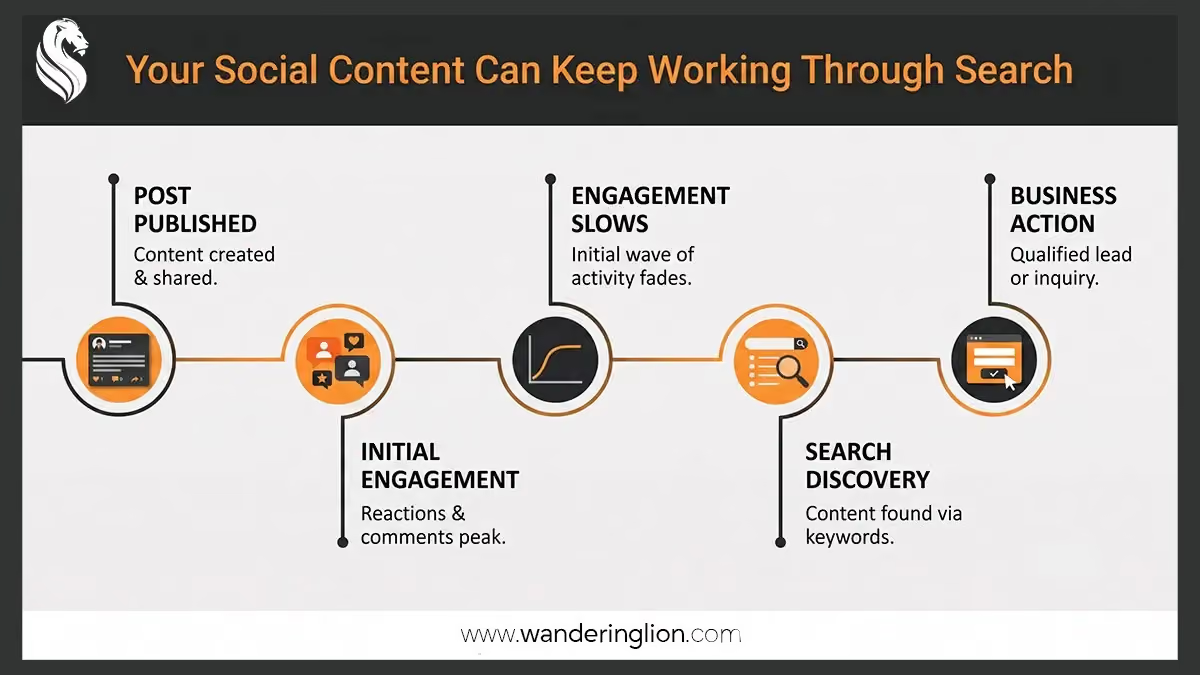
A post may receive limited engagement when it is first published but continue answering relevant searches for weeks or months. Search Console can reveal that ongoing discovery activity, helping businesses understand which subjects, questions and content formats are appearing in Google.
The data can support better content decisions.
A business may discover that a short instructional video attracts more Google visibility than a heavily promoted company announcement. A service explanation may appear for searches the marketing team had not previously considered. A post with a small social audience may still earn consistent clicks through search.
This gives businesses another way to identify the topics their market is actively trying to understand.
The update also reflects the increasingly blurred boundary between social content and search content. Videos, profiles, posts and Stories can become discoverable assets outside their original platforms.
Social content is not always temporary.
A useful post can continue attracting attention after its original publication window has passed, particularly when it answers a specific question or explains a recurring problem.
However, Search Console does not provide complete commercial attribution.
It cannot automatically show whether a click became a website visit, enquiry, quote or sale. Businesses still need website analytics, CRM data and native platform reporting to understand the complete customer journey.
The feature should therefore be treated as an additional source of search visibility data rather than a replacement for existing measurement systems.
How to Set Up a Platform Property
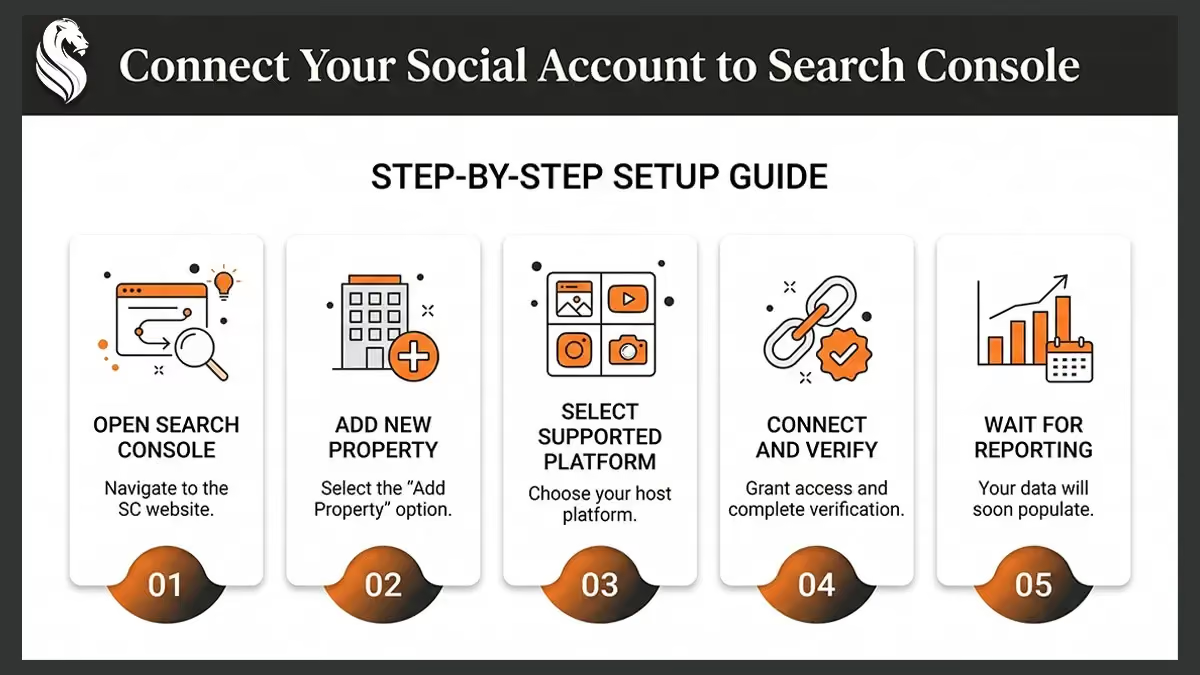
Businesses with access to the feature can create a platform property through Search Console.
The setup process is:
- Open Google Search Console.
- Open the property selector in the sidebar.
- Select Add property.
- Find the supported platform you want to connect.
- Click Add beside that platform.
- Follow the onscreen authorisation and verification instructions.
- Select Go to property after ownership has been confirmed.
The process must be repeated for every account or channel the business wants to track.
A company operating separate regional Instagram profiles, for example, would need to add and verify each profile individually.
Reporting may take several days to appear after setup. New properties may initially show empty or incomplete reports because information only begins appearing after the connection has been established.
Google also checks ownership periodically for security.
Access may pause if an external login expires, account permissions change or the platform connection is lost. The account can be reverified to restore access to its reporting.
Businesses should avoid making major decisions based on only a few days of information.
Content age, seasonal demand, search intent and publishing frequency can all influence performance. Reviewing a longer reporting period usually provides a more reliable view of which posts and topics are consistently being discovered.
A Clearer View of Social Content in Google
Search Console social media tracking gives businesses a clearer view of how Instagram, TikTok, X and YouTube content performs beyond the original platform.
It shows which posts are appearing, which searches are leading people to them and how often users are clicking.
That information does not provide the complete picture of social media or commercial performance. It does, however, reveal a part of content discovery that has previously been difficult to measure.
For businesses already investing in useful social and video content, platform properties offer another way to understand what audiences are searching for and which published ideas continue earning attention through Google.
Search Visibility Must Lead Somewhere
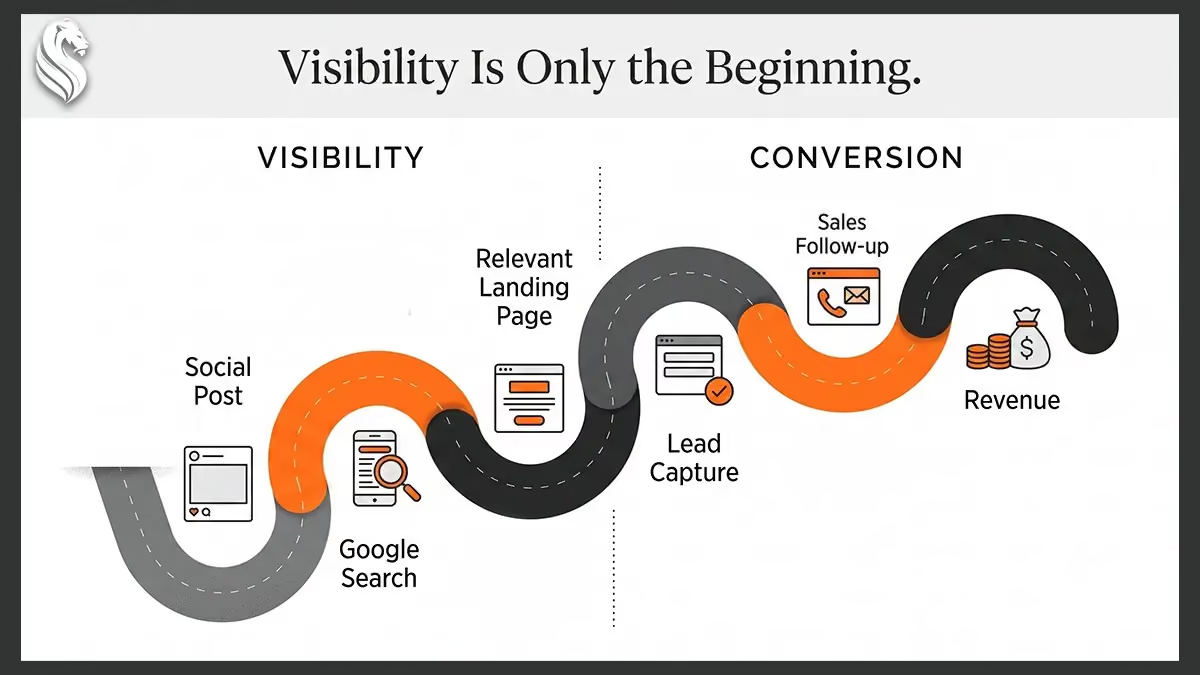
Google’s announcement is positive news for businesses investing in useful social and video content. It provides a clearer view of how content contributes to discovery and gives owners better evidence for deciding what to create next.
The strongest growth opportunity will not come from monitoring impressions alone.
It will come from connecting search demand with useful content, relevant landing pages, efficient lead capture, disciplined sales follow-up, and reporting that reaches beyond clicks.
Search Console can show which social posts are being found. A properly designed growth system shows how that discovery becomes the right enquiry, a better sales opportunity, and measurable commercial progress.
Turn Search Data Into a Growth System
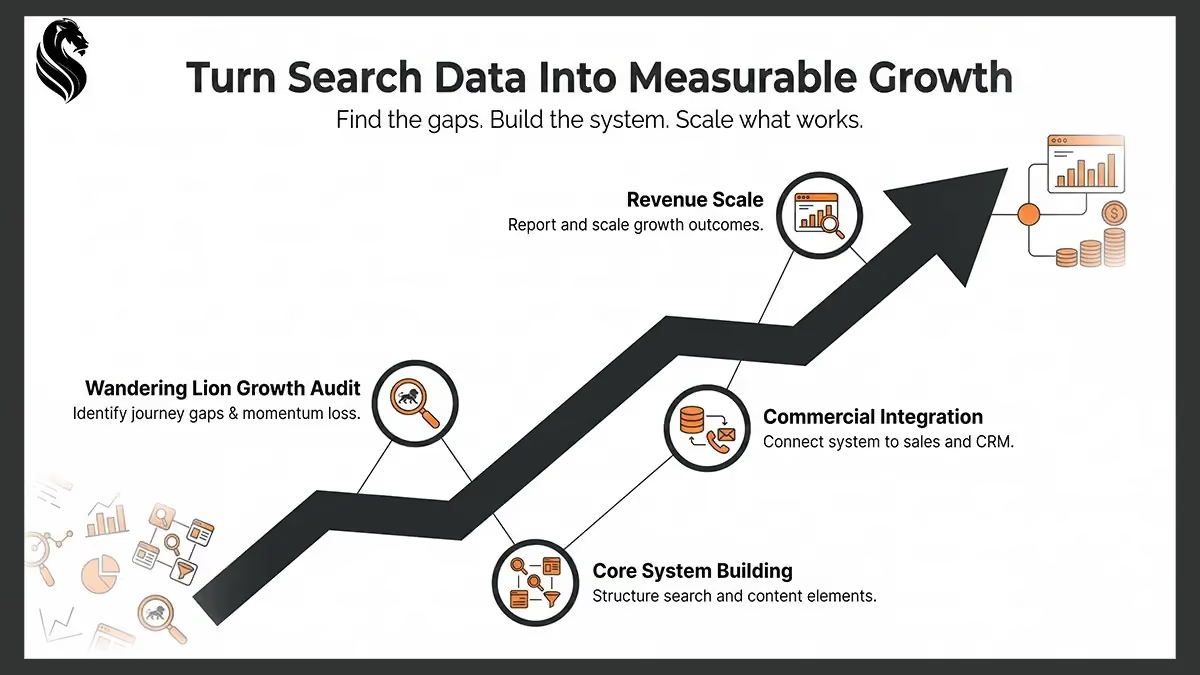
A Wandering Lion Growth Audit connects what your content is attracting with the website journey, lead capture, follow-up and revenue tracking behind it.
Request a Growth Audit to identify where visibility is being lost before investing in more content or advertising.
FAQs
Does Search Console track social media engagement?
No. Platform properties do not report likes, comments, shares, followers, native video views or other engagement that happens inside the social platform.
They report how the content performs when it is discovered through Google.
Can a business use platform properties without a website?
Yes. A creator, publisher or business can create a platform property without owning a website, provided they can verify the connected social account or video channel.
A website may still be useful for businesses that want greater control over landing pages, lead capture and the wider customer journey.
Does the feature support LinkedIn?
No. The supported platforms at launch are Instagram, TikTok, X and YouTube. LinkedIn is not included in the current list of supported platform properties.
Businesses that publish heavily on LinkedIn will still need to use LinkedIn’s own analytics and their wider reporting systems to evaluate that activity.
How long does it take for reporting data to appear?
Reports may take several days to begin showing information. Newly created properties may display only the activity collected after the platform connection was established.
Does a Search Console click mean someone visited the business’s website?
Not necessarily. A click may open the content on its original platform or play a video inside a Google viewer.
Additional website, enquiry and conversion tracking is required to determine what happened after the Search Console interaction.
Can platform properties show Discover or Google News performance?
Yes, when the connected content receives traffic from those Google surfaces.
The relevant reports may not appear when there is no Discover or Google News activity to display.
Does Search Console replace native social media analytics?
No. Native analytics remain necessary for understanding on-platform reach, engagement, audience retention, follower behaviour and video performance.
Platform properties provide a separate view of how supported social and video content is discovered through Google.
What should businesses review first?
Start with the queries and posts attracting the most impressions and clicks. Look for recurring customer questions, commercially relevant topics and posts that continue receiving visibility over time.
That information can help businesses understand which subjects may deserve further content, clearer explanations or more detailed supporting resources.

Search Visibility Becomes Valuable When It Connects to Growth
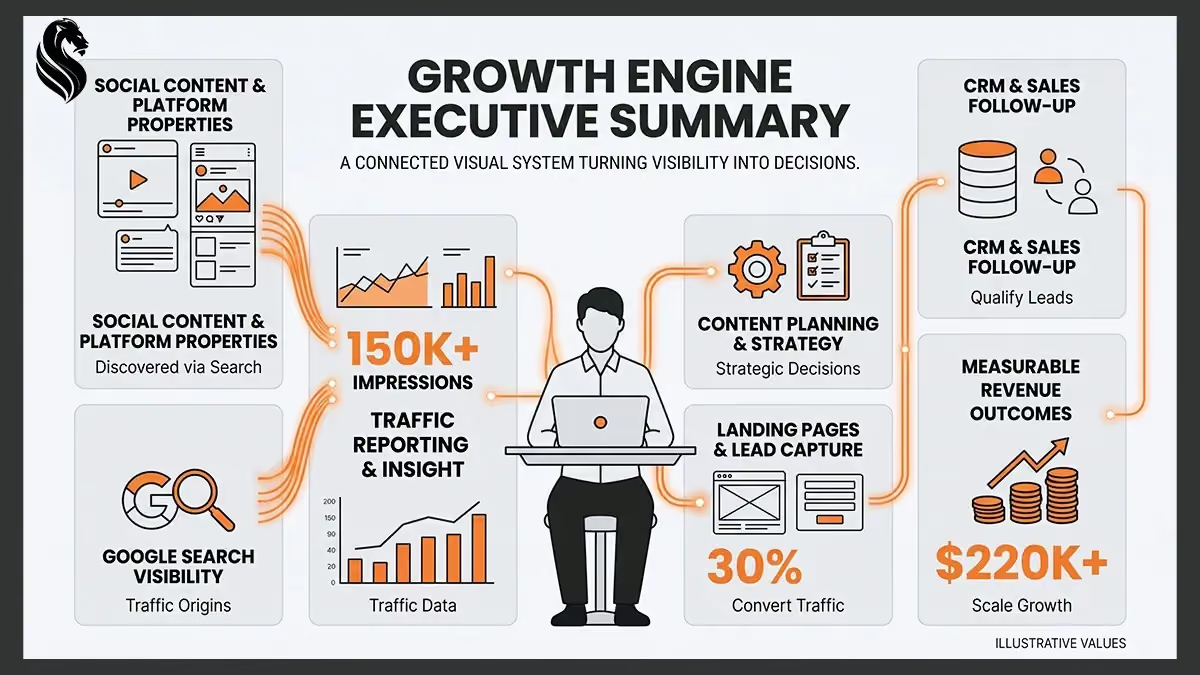
Search Console’s platform properties give businesses clearer evidence of how their Instagram, TikTok, X and YouTube content is discovered through Google. However, impressions and clicks only create commercial value when that visibility connects to relevant website journeys, effective lead capture, disciplined follow-up and revenue reporting.

Search Console Reveals Discovery, Not the Complete Customer Journey
Platform properties show how supported social content performs across Google, helping businesses identify the posts, topics and queries attracting ongoing search visibility. The data should inform better content decisions, but it must be combined with native analytics, website tracking, CRM data and conversion reporting to measure commercial outcomes.
Connect Each Supported Account Separately
Businesses can create individual platform properties for eligible Instagram, TikTok, X and YouTube accounts, even when they do not operate a website. Each account or channel must be authorised and verified separately, and reporting may take several days to appear.
Measure Google Discovery, Not Native Engagement
Platform properties report impressions, clicks, click-through rate, average position, search queries and individual content performance across Google. They do not measure likes, comments, shares, followers, watch time or other activity occurring inside the original social platform.
Find the Content That Keeps Earning Attention
The Performance, Insights and Achievements reports help businesses identify which posts appear in Google, which searches lead to them and which topics continue attracting visibility over time. This can reveal useful content opportunities that native social media reporting may overlook.
Connect Visibility to Commercial Outcomes
Search Console can show that content is being discovered, but it cannot confirm whether a click became an enquiry, quote or sale. Businesses need to connect search demand with useful content, relevant landing pages, lead capture, sales follow-up and revenue tracking before treating greater visibility as business growth.

Turn Search Visibility Into a Growth System
A Wandering Lion Growth Audit examines what your content is attracting and what happens after someone discovers it. It connects search visibility with the website journey, lead capture, follow-up systems and revenue reporting so you can identify where opportunities are being lost before investing in more content or advertising.
KEEP READING
Explore more



FEEDBACK FROM THE FIELD
No polished scripts. Just the raw operational reality from owners who cleaned up their pipelines and got out of the daily administrative loop.
“When we set out to grow Discmania in the US market, Ryan was a key part of laying that foundation. He helped us cut through the noise & restructured how we told the story of each release, aligning our athlete partnerships with the brand, and building the kind of community touchpoints that turned buyers into fans. The results spoke for themselves. I’d work with him again without hesitation.”


“In 2019, Ryan from Wandering Lion helped transform the Kalamunda Eastern Suns’ presence in the community. He lifted our social profile, drove some of the strongest brand engagement in the league, and helped turn sparse crowds into sellouts. His work also strengthened sponsor interest and raised the overall profile of the club in a way that felt polished, professional, and genuine.”

“Young people who had switched off from school were not going to reconnect because of a campaign headline or a polished message. They needed a genuine reason to turn up again. Wandering Lion brought a strong sense of care to how the story was told. That gave the foundation a clearer public identity.”





“Working with Wandering Lion on the Discmania project was a standout experience. The team’s position work, blended creative vision with strategic execution, was a major asset as we built the Discmania brand globally. The work he produced didn’t just look great. It elevated our brand presence and supported measurable growth across multiple markets.”




“Wandering Lion understood from the outset that the Pacific Hockey League could not simply be another competition with a new name. Their work helped shape a player-first league with the right balance of ambition, fairness, and professionalism. What they brought was not just branding or communication, but real strategic thinking that gave the PHL a stronger and more credible foundation.”

“Authenticity is the centrepiece of all Lajosi Putter customisation works. The brand is reflected in each of our hand-made custom putters. Ryan’s team solidified that identity in our online presence. It led to higher social media engagement from a golfing community who value hand-crafted putters over overly polished ones.”

‹
›
READY TO FIX YOUR GROWTH?
Stop guessing. Get clarity on what's actually slowing your business down.
